How the Commission calculator works
Flat commission
Commission = Sales × commission rate
Tiered commission
Commission = min(Sales, tier) × rate 1 + max(0, Sales − tier) × rate 2
Sales needed for a goal
Sales = (Goal − base pay) ÷ commission rate
Worked example
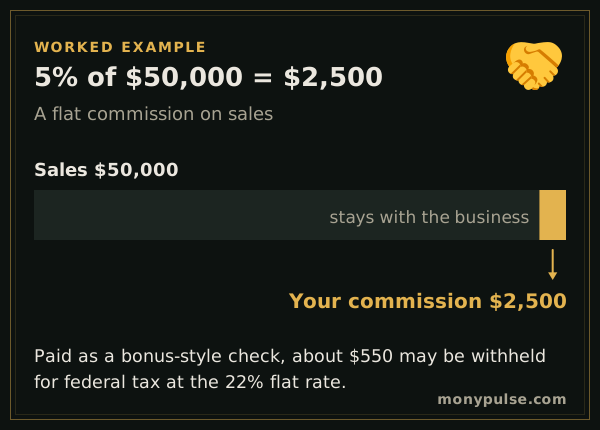
You sell $50,000 this month at a 5% commission rate and earn $2,500.00 in commission. If it is paid in a separate check, your employer will likely withhold $550.00 for federal income tax at the 22% supplemental rate, plus Social Security and Medicare.
Add a $3,000 base salary for the month and your total pay is $5,500, with commission making up a bit under half of it.
Flat, tiered and base-plus-commission plans
- Flat rate: one percentage on every sale. Simple to track.
- Tiered: a higher rate once sales pass a threshold, which rewards strong months. Enter the threshold and the higher rate under Tiered commission.
- Base plus commission: a steady salary plus a smaller commission. Enter the base for the same period as the sales.
How to calculate commission by hand
Multiply the sales by the rate: $12,000 in sales at 6% is $720. On a tiered plan each rate applies only to the sales inside its tier. With 5% on the first $40,000 and 8% above it, $50,000 in sales earns $2,000 + $800 = $2,800, an effective rate of 5.6%. Some plans instead pay the higher rate on every dollar once you pass the threshold; if yours does, enter that rate as the only rate for a month above the threshold.
Draws and taxes on commission
A draw is an advance on future commission. If you get a $2,000 draw and earn $2,800 in commission, you receive the $800 difference. With a recoverable draw, a short month leaves a balance you repay from later commission; a non-recoverable draw works as a guaranteed minimum. Commission is taxed as wages: Social Security and Medicare apply, and when it is paid separately from regular pay, employers usually withhold federal income tax at a flat 22%. That withholding is a prepayment, not your final tax.
Setting a sales target
Turn an income goal into a sales number: enter the total pay you want under Plan a goal. Breaking the yearly target into months or weeks makes it easier to track progress and see early whether a slow month needs to be made up.
Related calculators
For a one-time payment such as a quarterly bonus, use the bonus calculator to see what you keep after withholding. To see commission in your take-home pay, use the paycheck calculator, and if you sell as an independent contractor, the self-employment tax calculator shows the tax you owe on 1099 income.
Assumptions and limits
- Commission is paid on the full sales amount you enter; returns, chargebacks and draws against commission are not modeled.
- In a tiered plan, the higher rate applies only to sales above the threshold, not to all sales.
- The withholding figure uses the 22% federal rate for supplemental wages paid separately from regular pay; Social Security, Medicare and state tax also apply.
Frequently asked questions
How do you calculate commission?
Multiply the sales amount by the commission rate. $50,000 of sales at a 5% commission earns $2,500.
How does tiered commission work?
Sales up to the threshold earn the first rate and sales above it earn the higher rate. With 5% up to $40,000 and 8% above, $50,000 of sales earns $2,000 + $800 = $2,800.
How are commissions taxed?
Commissions are wages, taxed like any other pay. When they are paid separately from your salary, employers often withhold federal income tax at a flat 22%. Your actual tax is settled on your return based on your total income.
How much do I need to sell to earn a target income?
Subtract your base pay from the income you want and divide by the commission rate. Enter the goal under Plan a goal and the calculator does it, including tiered rates.
Sources and method
- Publication 15 (Circular E), Employer's Tax Guide · Internal Revenue Service
Formulas and figures checked against these sources on November 11, 2026. The calculator runs entirely in your browser; nothing you type is sent to us or stored. Results are estimates for education, not financial, tax or legal advice, and MonyPulse is not a lender, tax preparer or investment adviser. Found an error? Tell us. See how we build and test our calculators and our editorial standards.